
Online Store
Your online store, connected to your billing.
Customers browse your items and order from their phone. Every order lands in KhataBhai, ready to accept and invoice, with your stock and customer accounts kept right.
Online Store from ₹349 a month. Your store link and online orders are on Essential and above.
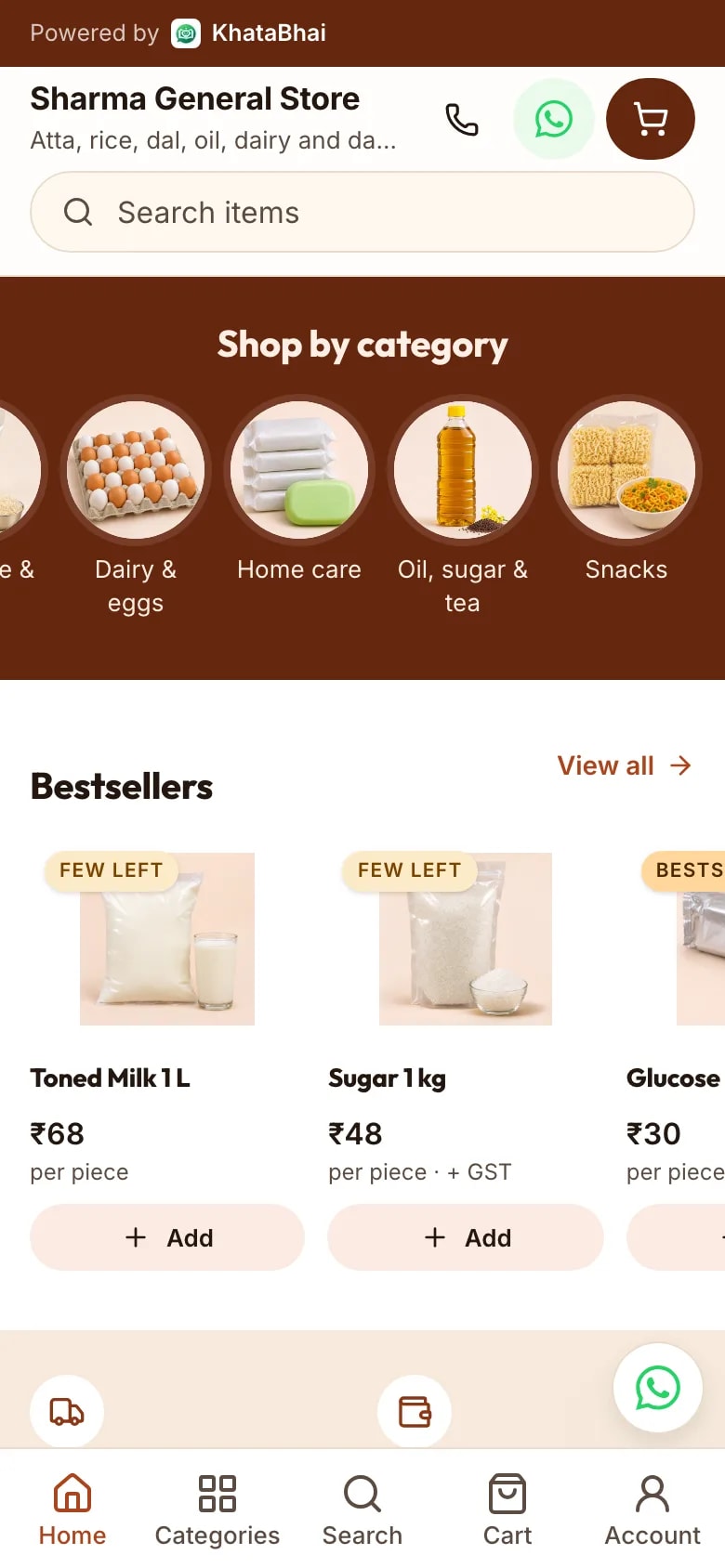
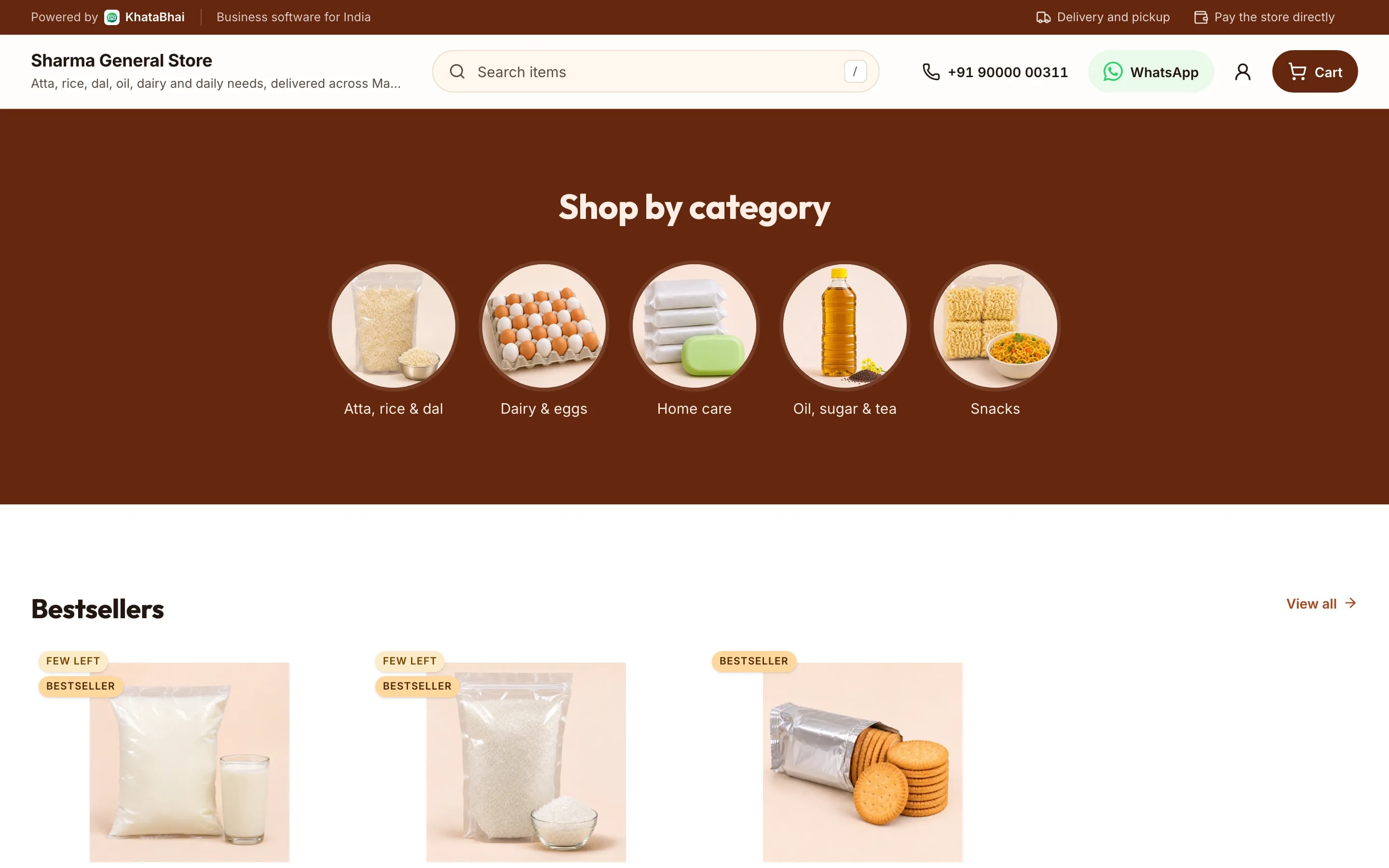
Demo
Shop it yourself.
This is how your customers see your store. Sample data only.
Sample store. Nothing is sent and no payment is taken.
Your monthly groceries, delivered
Delivered in Malviya Nagar, Jaipur, or pick up from the store.
What happens after the customer taps Place order.
Your store and your books are the same system.
- 1
Add your items
YouPhotos, prices, sizes and stock. Import them from Excel if you already have a list.
- 2
Share your store link
YouPick a design and send the link on WhatsApp, Instagram or anywhere else.
- 3
A customer places an order
Your customerThey browse, add to cart and confirm their number with a code on WhatsApp.
- 4
The order reaches you
AutomaticAs a Sales Order, with a WhatsApp alert. The customer is saved to your customer list.
- 5
Accept and create the invoice
YouOne step from the order. Or let store orders become invoices on their own.
- 6
Stock and dues update
AutomaticThe invoice takes the items out of stock and adds the amount to what the customer owes.
- 7
Deliver or hand over
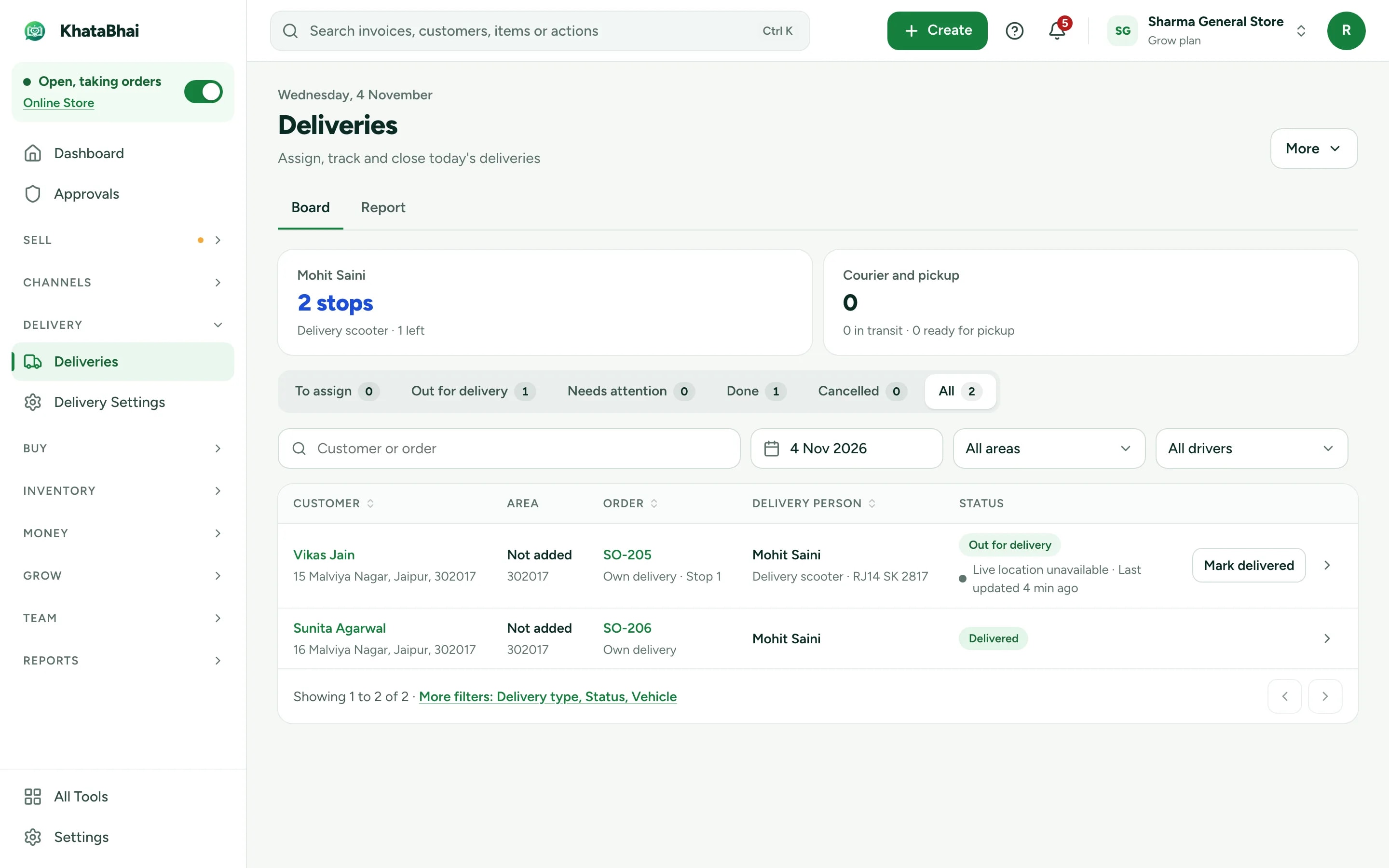
YouAssign a driver and share a tracking link, or keep it ready for pickup.
- 8
Record the payment
YouCash, UPI, bank or cheque against the invoice. Paid online at checkout? It's already marked.
- 9
Reports are current
AutomaticSales, dues, stock and GST reports include the order without any extra entry.
Your business online, and everything behind it.
No separate website to build. Your items are already in KhataBhai, so your store is too, and every order lands in the same records as your billing.
What your customers see
- Your items with up to 8 photos, prices and descriptions
- Sizes, portions and add-ons, like Half or Full with extra raita
- Cart, coupons and checkout on their phone
- A code on WhatsApp to confirm their number
- Delivery or pickup, whichever you offer
- Order details on WhatsApp and a page to track the order
What you run
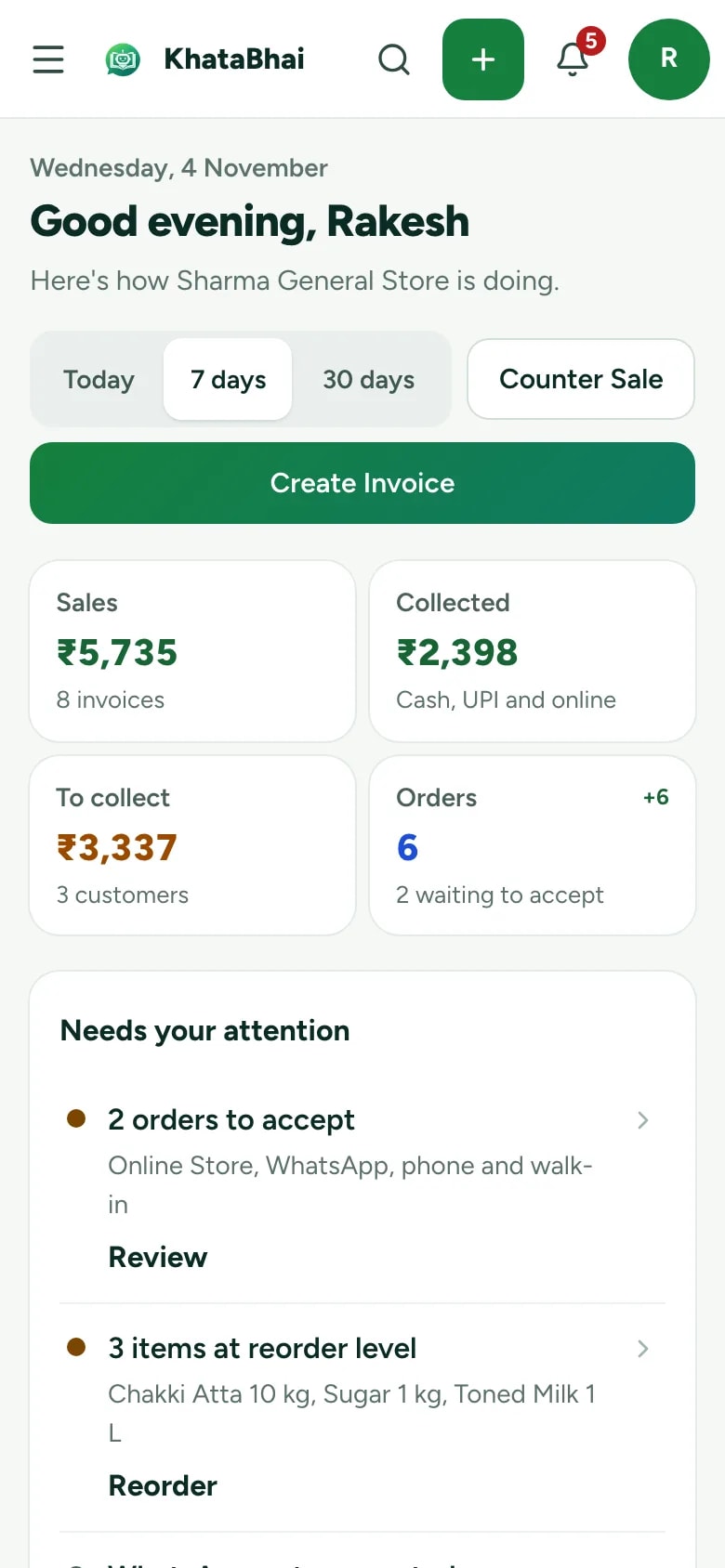
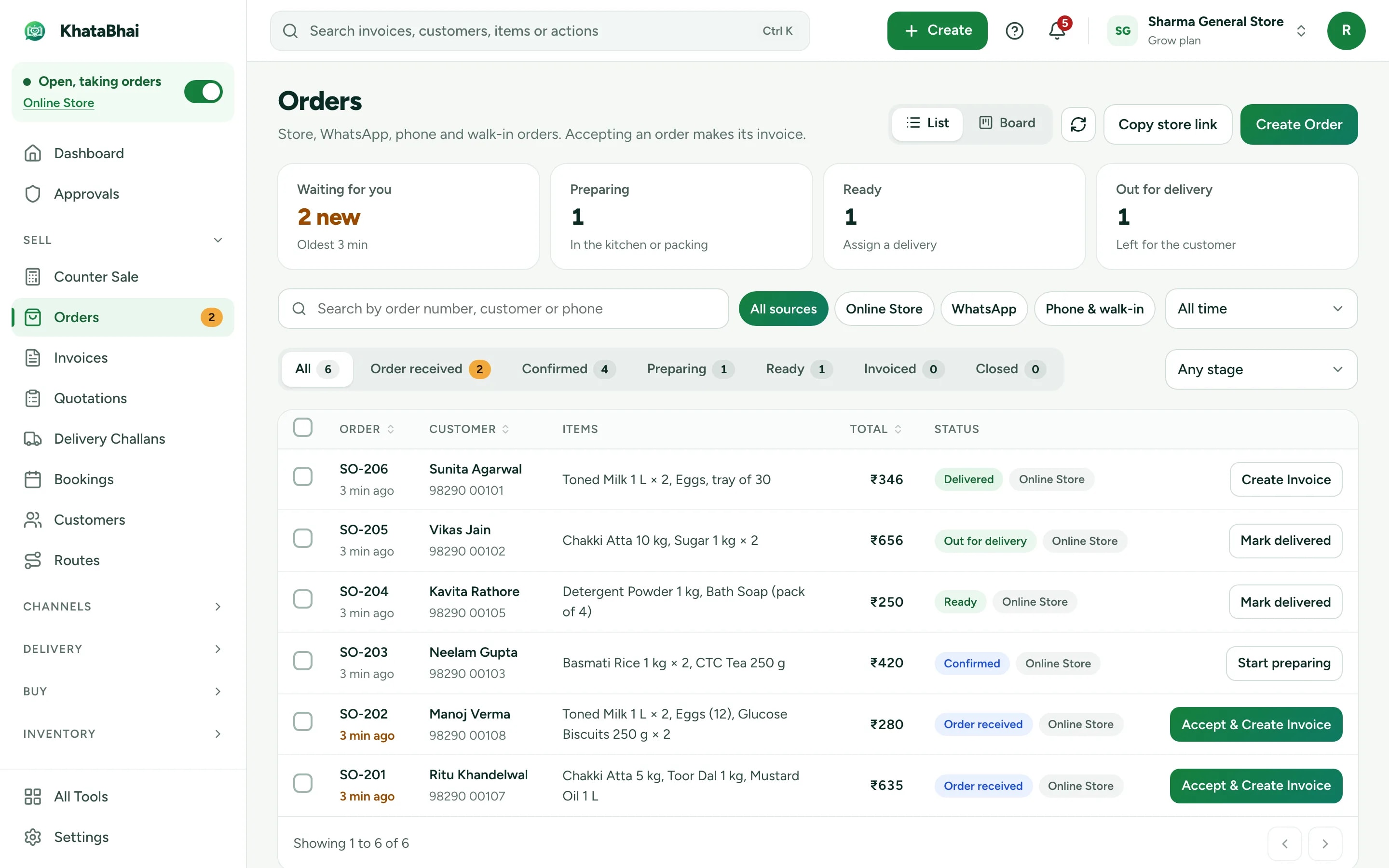
- A WhatsApp alert for every new order, with Accept and Reject
- Each order as a Sales Order. Accept it and create the invoice in one step.
- Stock goes down when you invoice, and the store shows In stock or Few left
- The customer saved with their orders, invoices and dues
- Coupons, a minimum order and a switch for days you're closed
- One link to share, like khatabhai.com/shop/your-shop
From order to doorstep.
Set up delivery once by answering five questions.
How do customers get their order?
Your own drivers, a local delivery partner, a courier or pickup from your shop.
Where do you deliver?
Pick areas by pincode, locality or distance, or draw them on a map.
What do you charge?
Free, a flat fee, or by distance or weight.
When do you deliver?
Offer time slots at checkout.
How do customers follow it?
A tracking link, and updates on WhatsApp.
Delivery with your own Staff and a delivery code is on Essential and above. Live tracking links and fees by road distance are on Grow and above.
Get paid the way your customers prefer.
You choose what checkout offers. Every payment is recorded against the invoice, so dues stay right.
On delivery or at pickup
The default. The customer pays you in cash or UPI when they get the order, and you record it against the invoice.
Online at checkout
Connect your own Razorpay, Cashfree, PhonePe or PayU account. Ask for the full amount, or an advance with the rest on delivery. The money goes to your account.
Cash on delivery rules
Set a minimum or maximum order for cash on delivery, an extra fee, and the PIN codes where it's offered.
A store that fits your business.
14 store designs
For grocery, wholesale, retail, fashion and plants, with a live preview before you publish.
6 languages
English, Hindi, Gujarati, Marathi, Punjabi, Assamese.
Your link, or your domain
Share khatabhai.com/shop/
your-shop, or connect your own domain on plans that include it. Prices for approved buyers
Show prices only to buyers you approve. On Grow and above.
Catalog only
Show your range without a cart. Buyers ask for prices or order on WhatsApp.
Minimum order
Set the smallest order you accept, and close the store on days you're shut.
Want your store on customers' phones? See your own app. Wholesale or distribution business? See how distributors use KhataBhai.
Which plans include the store.
Your store link and online orders are on Essential and above.
| Store feature | Free | Essential | Grow | Business |
|---|---|---|---|---|
| Online catalog with your own link | ||||
| Customers order online, you get the order | ||||
| Your own WhatsApp business number | ||||
| Offers, coupons and loyalty points | ||||
| Deliveries with your own staff and a delivery code | ||||
| Live tracking links for customers | ||||
| Delivery fees by road distance and address search | ||||
| Show prices only to approved buyers | ||||
| Store on your own website address | ||||
| Online orders | Unlimited* | Unlimited* | Unlimited* | |
| Credits a month | 500 | 1,500 | 4,000 |
FAQ
Online Store questions.
More in the help centre, or ask us on WhatsApp.
Do I need a website or a developer?
No. Your store is made from the items you already keep in KhataBhai. Pick a design, add your logo and photos, and share the link. Nothing to code or host.
What happens when a customer orders?
The order reaches you as a Sales Order in Online Orders, with a WhatsApp alert. Accept it and create the invoice in one step. Stock goes down and the customer's balance updates when the invoice is created.
Can orders become invoices on their own?
Yes. A store setting creates the invoice as soon as a customer orders. Orders where the customer's number couldn't be confirmed, or the payment is still pending, wait for you.
How do customers pay?
Customers pay you on delivery or at pickup. To take payment online at checkout, connect your own payment gateway account.
Do customers need an account?
No. They confirm their number with a code on WhatsApp at checkout. They get the order details on WhatsApp, with a link to follow the order.
Do store messages use credits?
Yes. Checkout codes and order updates on WhatsApp, maps and address lookups use your plan's credits. What your shoppers trigger uses at most 20% of your plan's credits a month, never credits you bought. If credits run out, orders still come in: the order is marked "number not verified" for you to confirm.
Can I deliver and let customers track the order?
Yes. Set delivery areas, fees and time slots, assign a driver and share a tracking link. Delivery is on Essential and above, and live tracking on Grow and above.
Can I use my own domain?
Yes, on Grow and above, alongside your KhataBhai store link.
Which plan do I need?
Your store link and online orders are on Essential and above. Every plan with the store takes unlimited orders from any number of visitors, with no commission from KhataBhai.