
Retail
Run your retail business and take orders online.
Keep every sale, every item and every regular customer in one place. When you're ready, the same catalog becomes an online store your customers order from.

Sound familiar?
What retail owners tell us, and how KhataBhai handles each one.
- Stock runs out before you notice, or sits unsold for months.
- KhataBhai: Stock moves with every invoice and purchase. Low stock alerts and a report of slow-moving items show what needs attention.
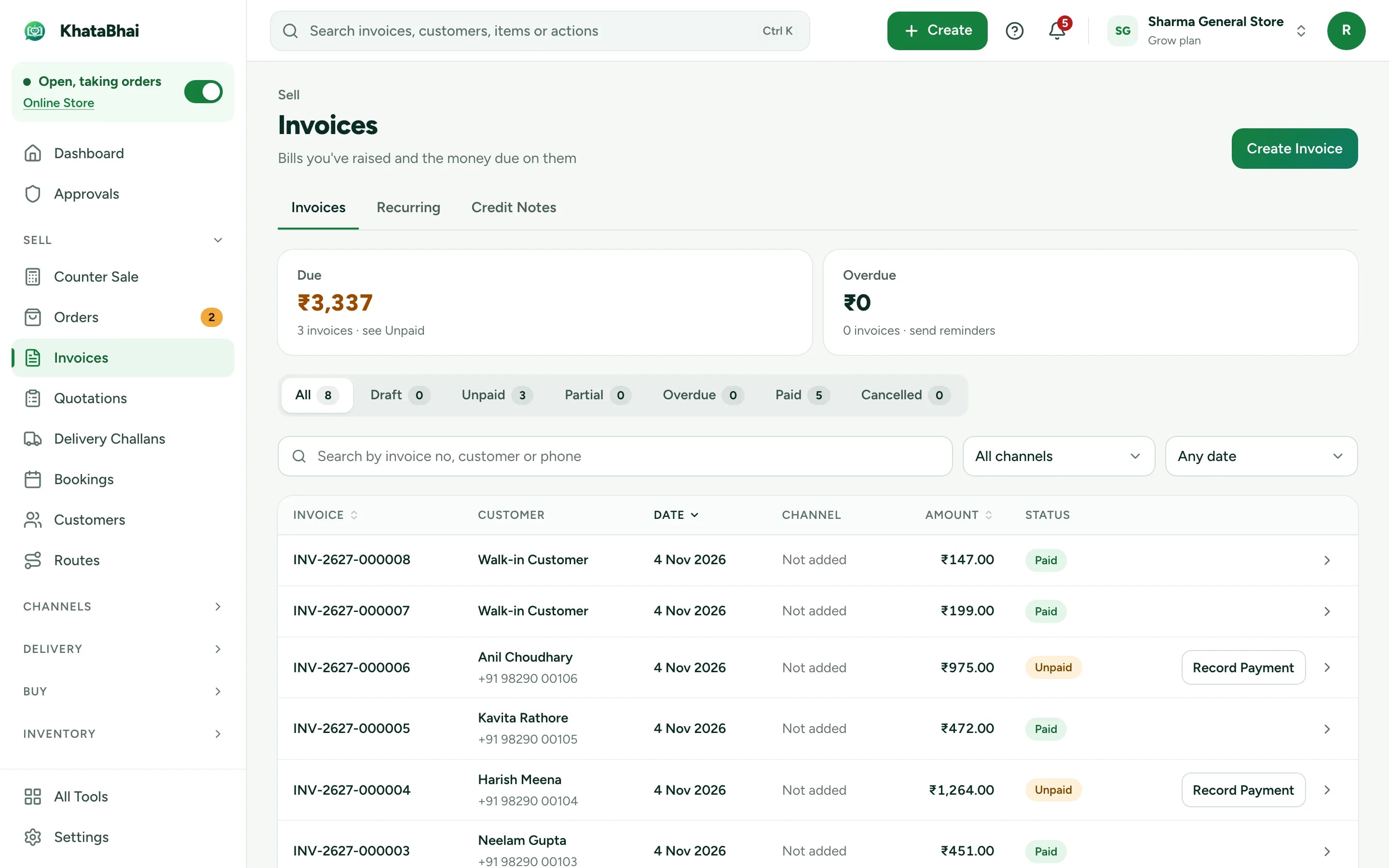
- Credit given to regular customers is written in a notebook.
- KhataBhai: Unpaid invoices add to what the customer owes, and reminders go out on WhatsApp.
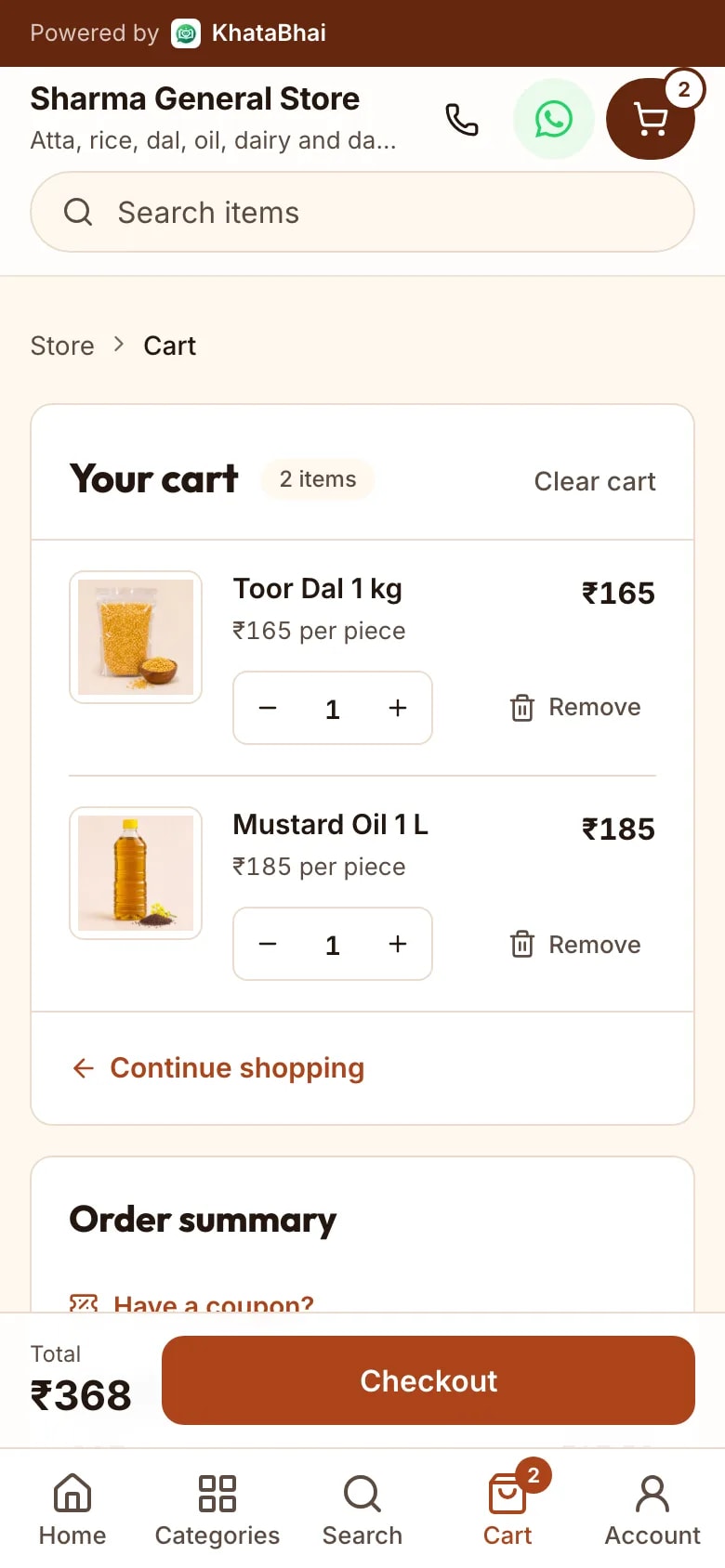
- Customers want to order on WhatsApp, but orders get lost in chats.
- KhataBhai: Send your store link. Orders arrive as Sales Orders to accept and invoice.
Billing and stock, together
Create a GST invoice on the web or on WhatsApp. The items come out of stock and the payment, full or part, is recorded against it.
- GST invoices shared as a PDF on WhatsApp
- Barcodes and barcode labels
- Reports on top items, slow items and daily sales
Regular customers, remembered
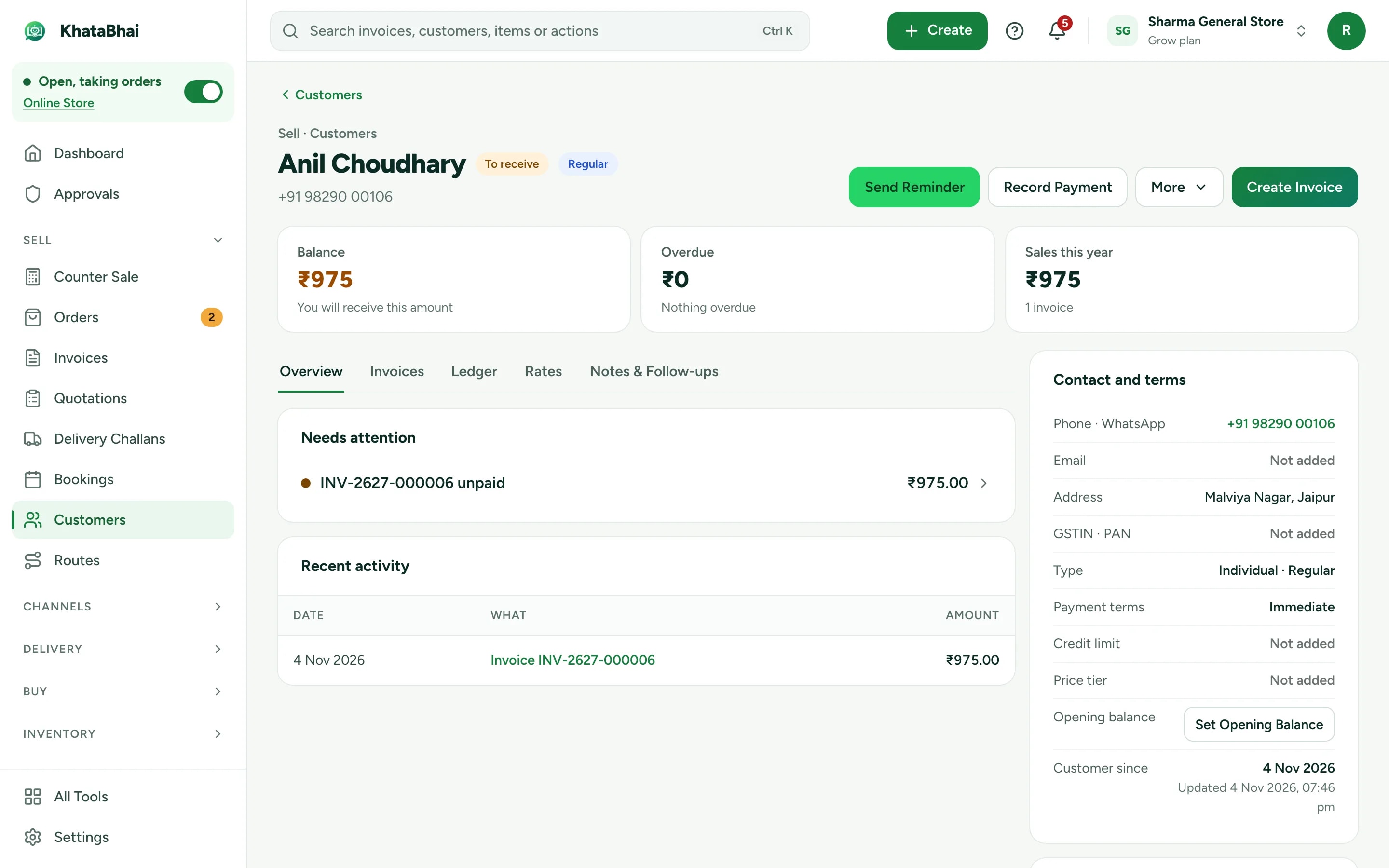
Every customer keeps their own history: what they bought, what they paid and what they still owe.
- Loyalty points and promotions (Essential and above)
- Reminders on WhatsApp (Essential and above)
- Notes and payment follow-ups
Orders from your store link
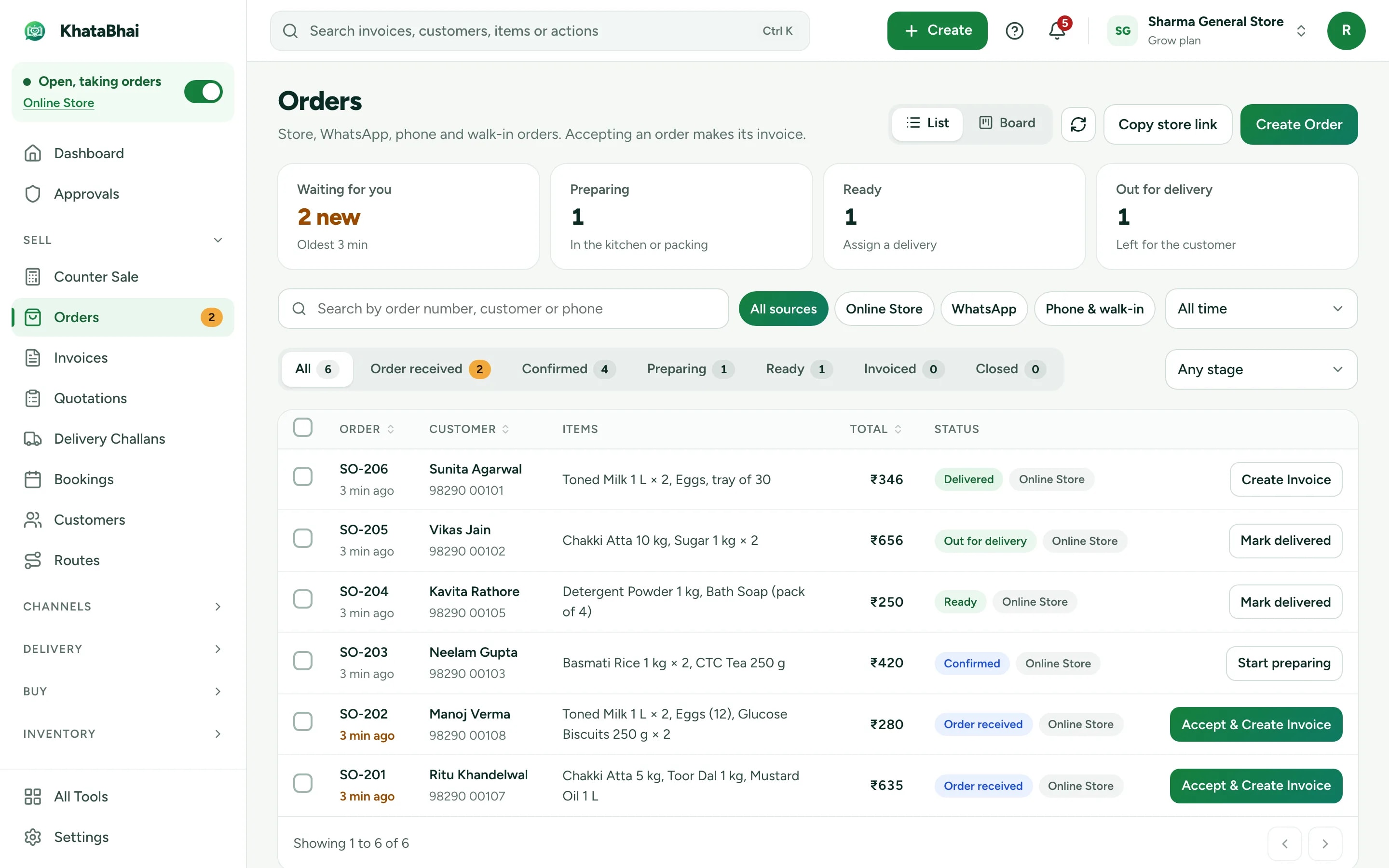
The same items become a store your customers order from, with delivery or pickup.
- WhatsApp alert with Accept and Reject
- Accept and create the invoice in one step
- Your store link and online orders are on Essential and above.
A normal day in KhataBhai.
- 1
A customer buys
Your customer - 2
Create the invoice
You - 3
Stock goes down
Automatic - 4
Payment recorded, cash, UPI or on credit
You - 5
Their history updates
Automatic - 6
Next time, they order from your store link
Your customer
Getting started
Sign up with your phone number and add your items. For a retail business, most owners start with Invoices, Stock and Online Store, and turn on the rest when they need it.
Sign up with your phone number
On the web or on WhatsApp. You confirm with a code sent on WhatsApp, no password.
Add your items and customers
One by one, or import an Excel or CSV file. Add opening balances too.
Create your first invoice
On the web or by message. Share the PDF on WhatsApp.
Turn on your Online Store
Pick a design, choose delivery or pickup and share your link. Online orders land in the same records.
FAQ
Questions, answered.
More in the help centre, or ask us on WhatsApp.
Can I use a barcode scanner?
Yes. Items can carry a barcode, and you can print barcode labels.
Can I give credit to regular customers?
Yes. Unpaid invoices add to what the customer owes, and reminders go out on WhatsApp.
Which plan do I need?
Billing, stock and customers work on every plan, including Free. Your store link and online orders are on Essential and above.