
Services
Run your service business, from quotation to payment.
You quote, do the work, invoice and then chase the payment. KhataBhai keeps each step in one place so nothing slips.

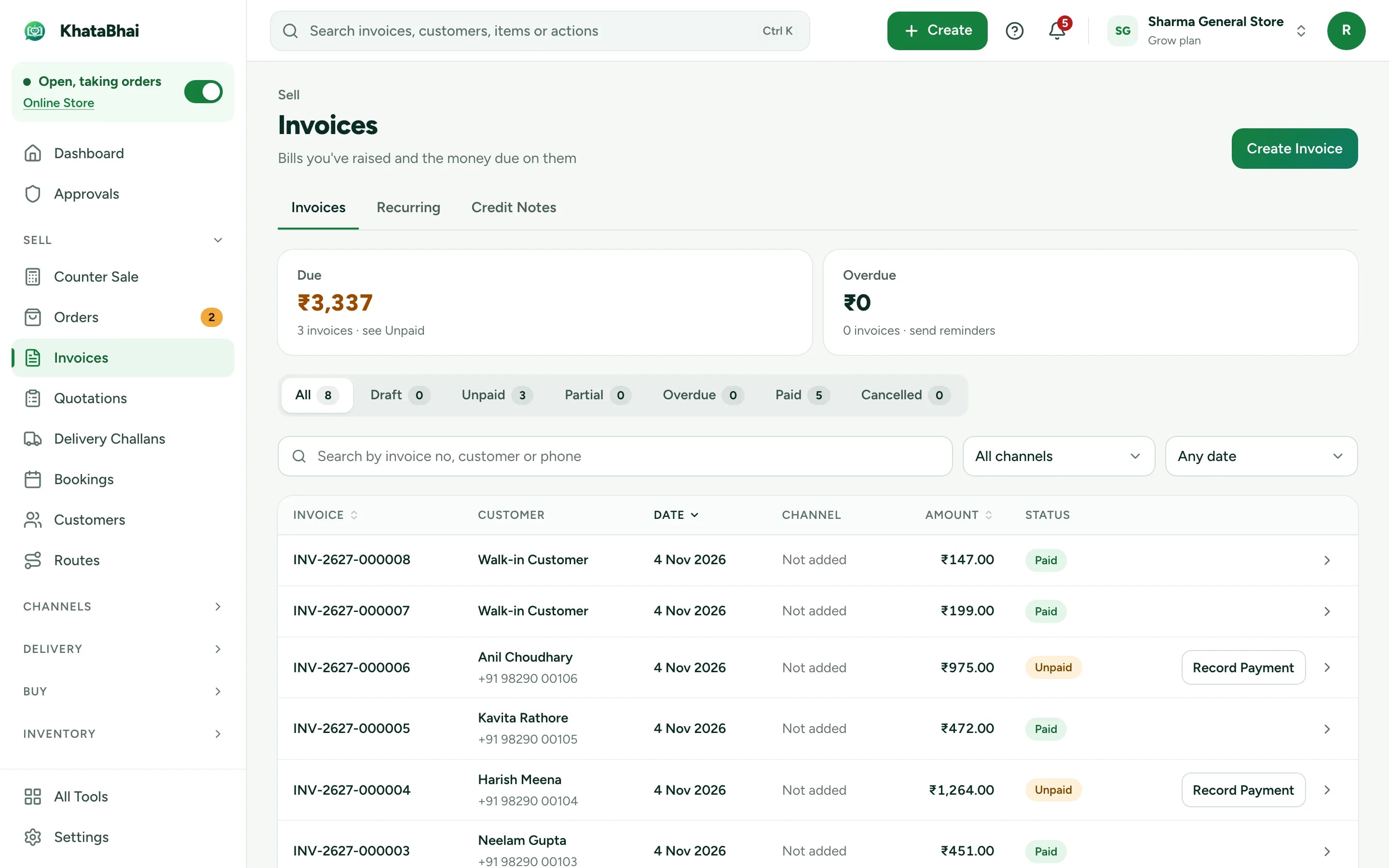
Recurring invoice
Sharma Residency · AMC
Sound familiar?
What services owners tell us, and how KhataBhai handles each one.
- Quotes and invoices live in different files.
- KhataBhai: Send a quotation or Proforma Invoice and turn it into the invoice when the work is agreed.
- Monthly customers have to be billed by hand every month.
- KhataBhai: Set up a recurring invoice once and it's created on schedule.
- Following up on payments takes hours every week.
- KhataBhai: See who owes what and since when, and send reminders and follow-ups on WhatsApp.
Quotes, invoices and monthly billing
Services are items too, with SAC codes and no stock to manage.
- Quotations and Proforma Invoices
- Recurring invoices for monthly customers
- Switch off inventory if you don't need it
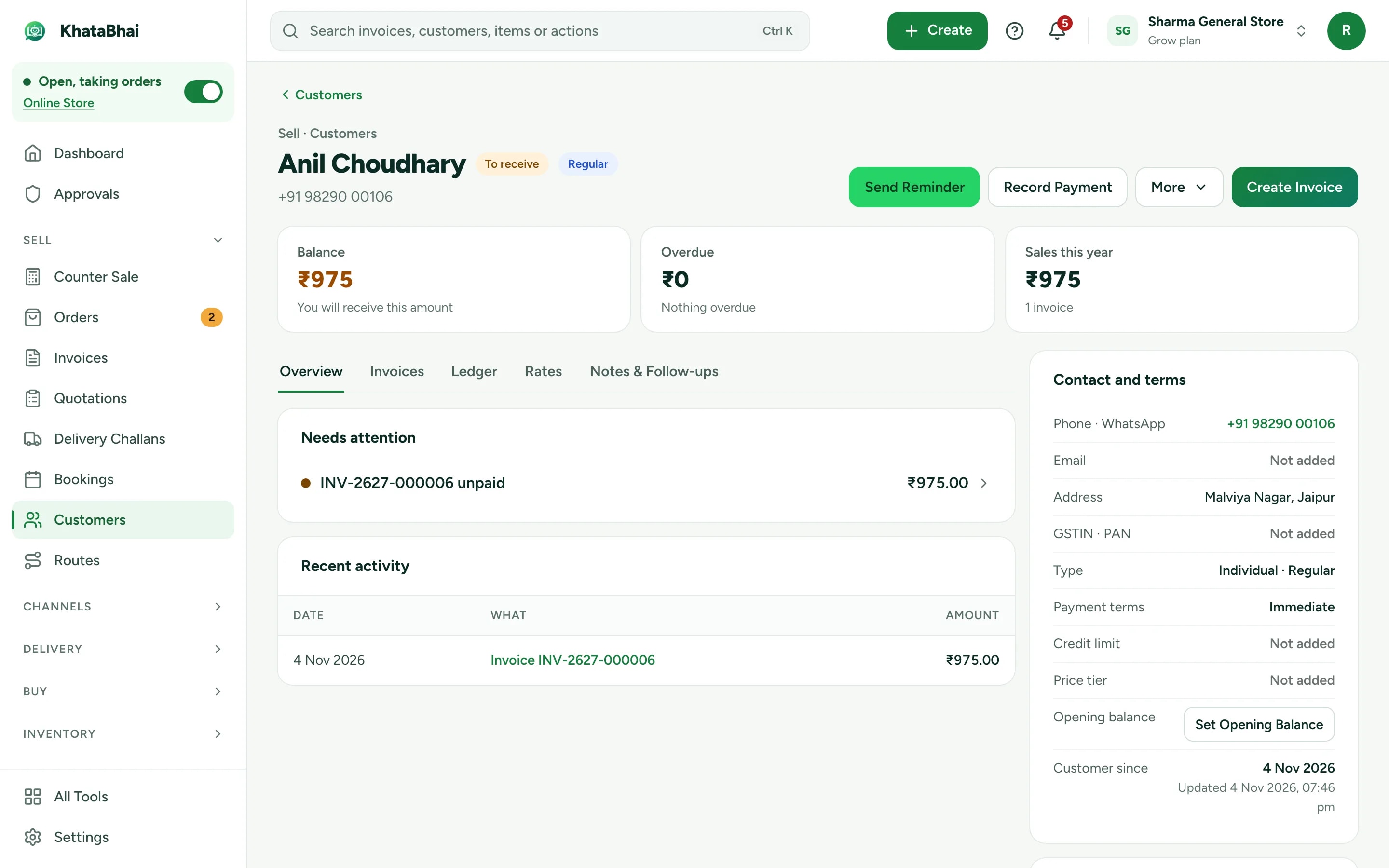
Get paid on time
Every customer's dues on one page, with payment follow-ups and reminders.
- Payment links through your own payment gateway account
- Reminders on WhatsApp (Essential and above)
- Reports on what's billed and what's due
A normal day in KhataBhai.
- 1
A customer asks for a price
Your customer - 2
Make a quotation for the customer
You - 3
Turn it into an invoice when the work is agreed
You - 4
Record the payment, full or in parts
You - 5
Send a reminder for what's still due
You
Getting started
Sign up with your phone number and add your items. For a services business, most owners start with Quotations, Recurring invoices and Payment follow-ups, and turn on the rest when they need it.
Sign up with your phone number
On the web or on WhatsApp. You confirm with a code sent on WhatsApp, no password.
Add your items and customers
One by one, or import an Excel or CSV file. Add opening balances too.
Create your first invoice
On the web or by message. Share the PDF on WhatsApp.
Turn on your Online Store
Pick a design, choose delivery or pickup and share your link. Online orders land in the same records.
FAQ
Questions, answered.
More in the help centre, or ask us on WhatsApp.
Do I need stock or inventory?
No. Services work without stock, and you can switch off inventory entirely.
Can I bill a customer every month automatically?
Yes. Set up a recurring invoice and it's created on schedule.
Is there a job card or work order?
Not yet. Use a quotation for the work agreed and an invoice when it's done.
Keep exploring
- Other business typesEach type of business, with its own day.Open
- Billing & businessHow a sale updates stock, dues and Reports, step by step.Open
- Online StoreYour store link and online orders are on Essential and above.Open
- Billing on WhatsApp: Service Providers & RepairInvoices and quotations by message, voice note or photo, in Hinglish.Open