
Kirana & Grocery
Bill faster at the counter, and take orders from your area.
A grocery store runs on quick bills, regular customers on credit and orders from homes nearby. KhataBhai keeps your counter, khata, stock and online orders on one set of records.
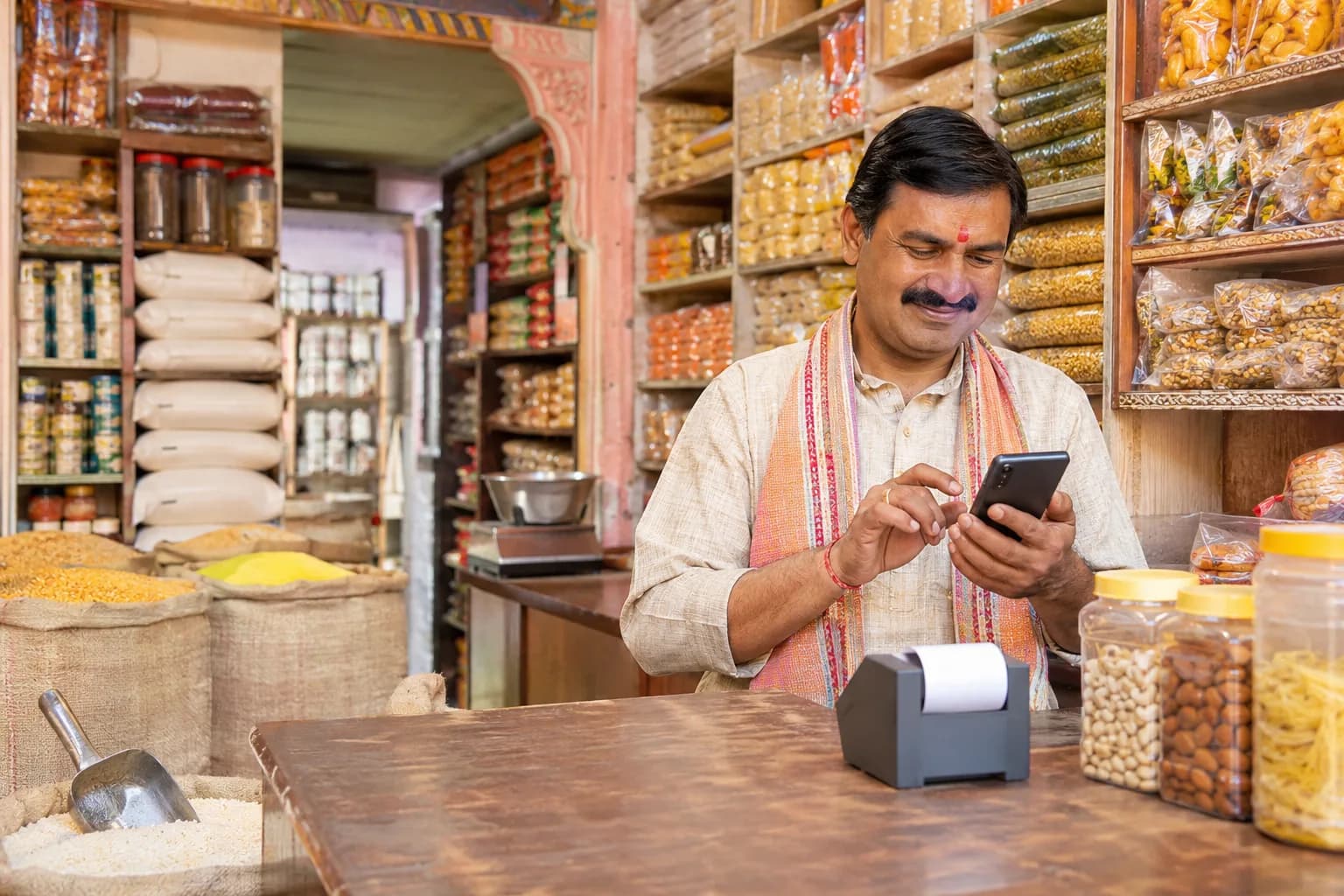
Sound familiar?
What kirana & grocery owners tell us, and how KhataBhai handles each one.
- The counter gets busy, and writing bills by hand slows everyone down.
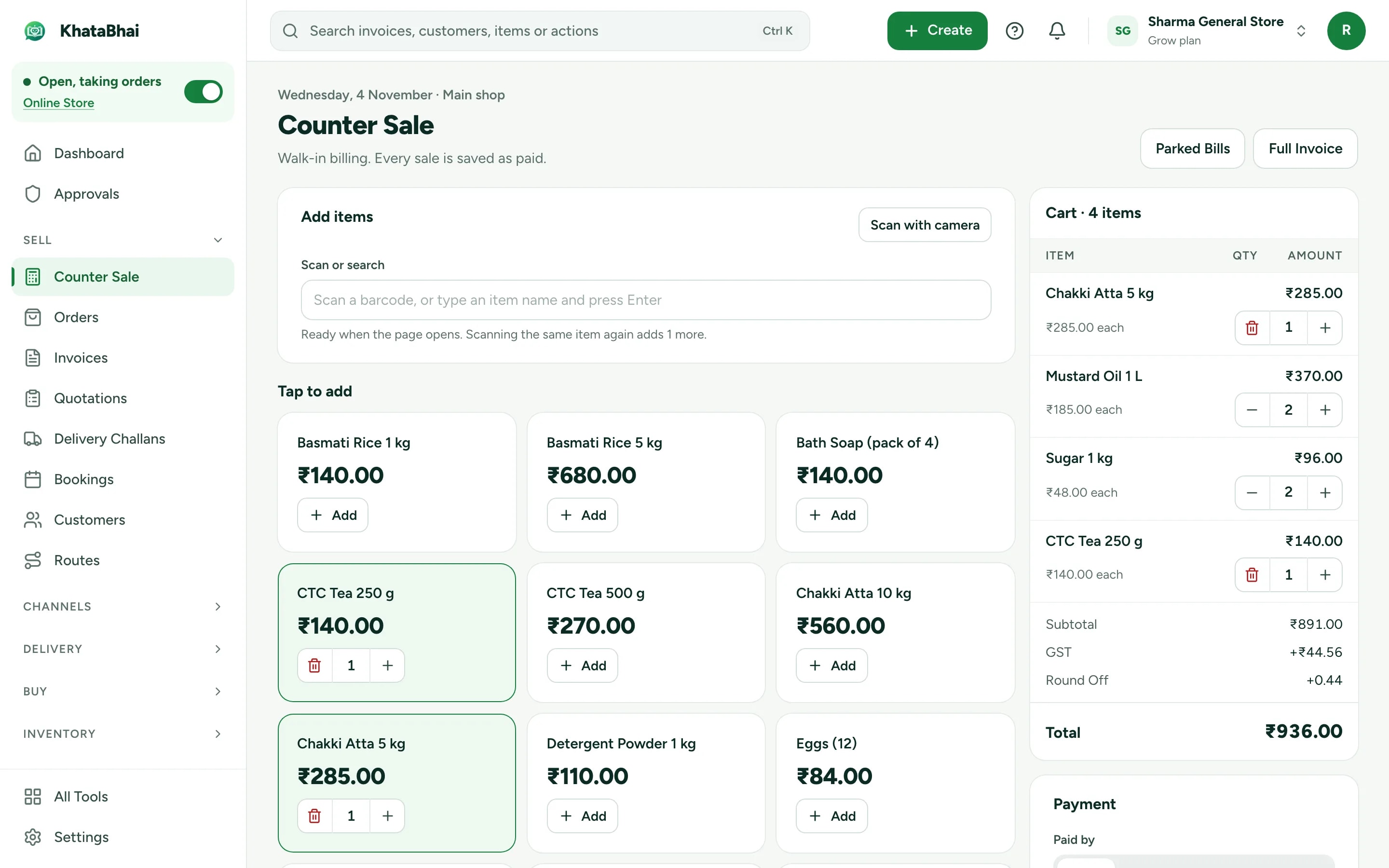
- KhataBhai: Counter Sale: scan a barcode or search an item, and GST is worked out for you. Take cash or UPI, then print the bill or share it on WhatsApp.
- Udhar lives in a notebook, and nobody remembers who owes what.
- KhataBhai: Unpaid bills add to the customer's khata. See who owes what and since when, and send WhatsApp reminders in one tap (Essential and above).
- Atta or oil runs out before you notice.
- KhataBhai: Stock goes down with every bill. Low stock shows on your home screen, and a purchase order is one step away.
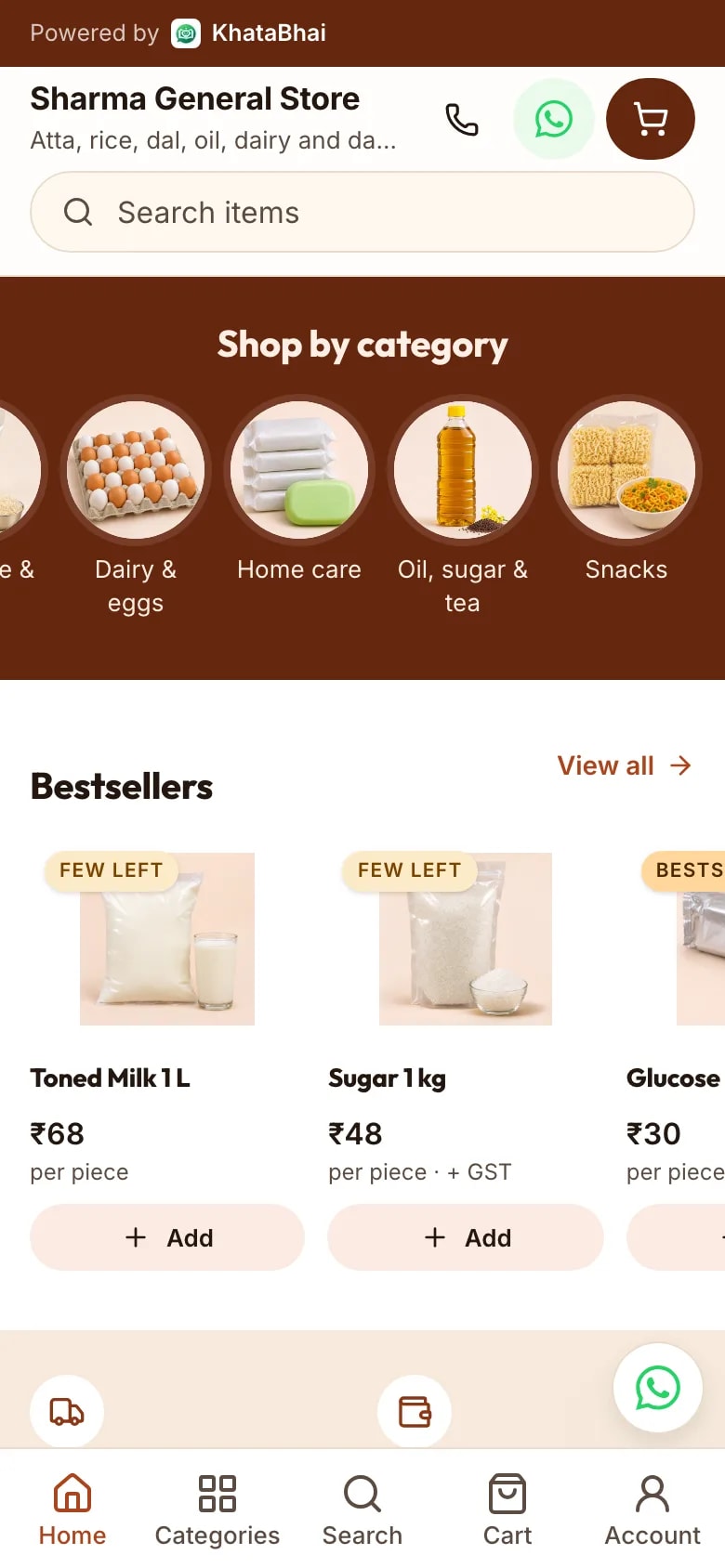
- Families nearby send their lists on WhatsApp, and orders get lost in chats.
- KhataBhai: Share your store link. They pick items and pack sizes themselves, and each order reaches you as a Sales Order with a WhatsApp alert.
- Customers keep calling to ask when their delivery will come.
- KhataBhai: Give the order to one of your Staff, who delivers with the KhataBhai app. Customers get a live tracking link (Grow and above).
- At night you add up cash, UPI and udhar by hand.
- KhataBhai: Reports show today's sales, money collected and what's still due, and a daily summary comes on WhatsApp.
Counter billing that keeps up with the queue
Counter Sale is made for walk-in customers: scan or search, take the payment, done. Every sale is saved as a paid invoice, and the items come out of stock.
- Barcodes and barcode labels
- Park a bill, serve the next customer, then pick it up again
- Switch to a full GST invoice when a customer asks for one
- Print on Bluetooth or Wi-Fi printers from the KhataBhai app
Udhar, without the notebook
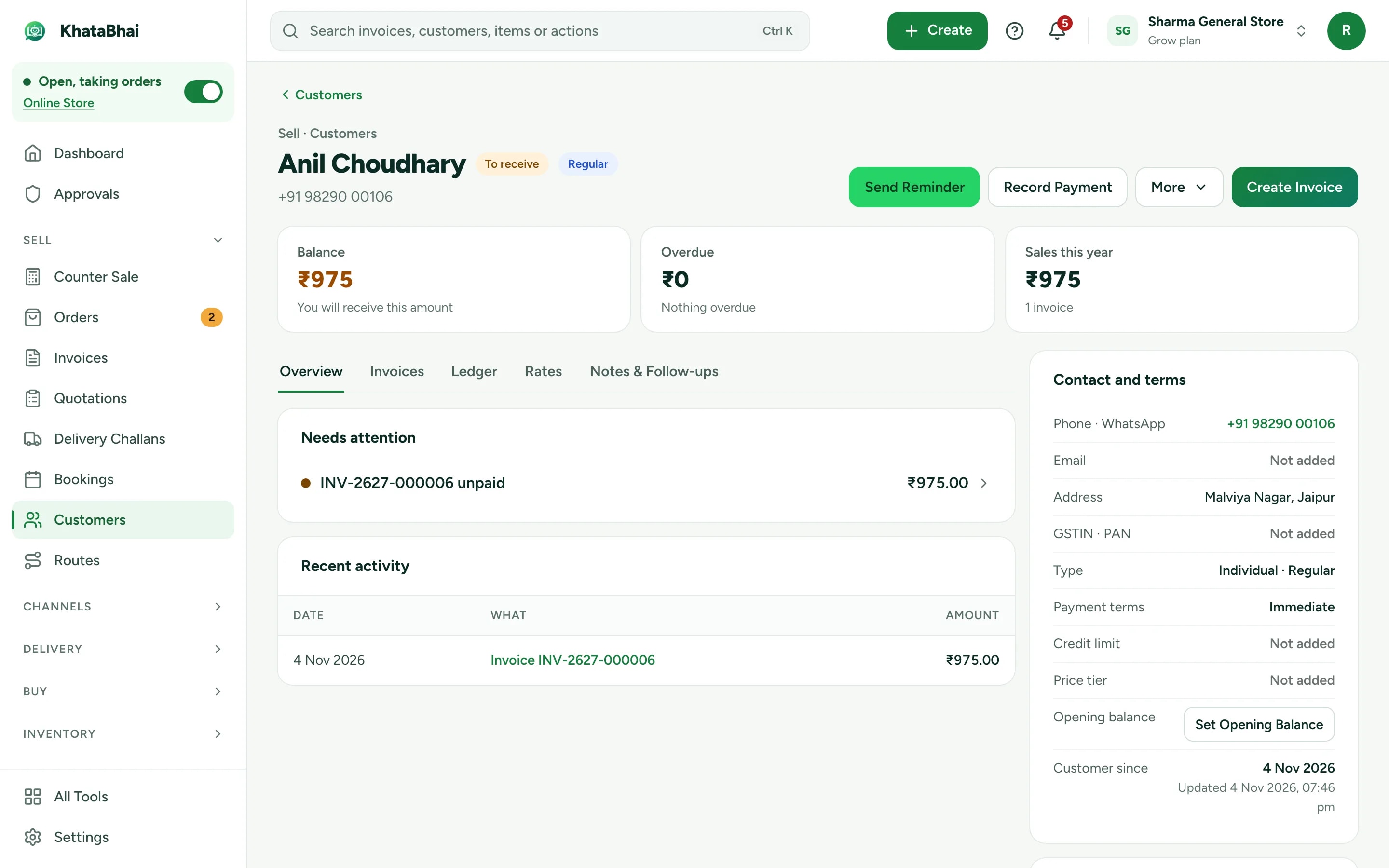
Every regular customer has a khata: what they bought, what they paid and what's still due. When a payment is late, send a reminder on WhatsApp.
- Reminders on WhatsApp, one by one or all at once (Essential and above)
- Part payments by cash, UPI or bank
- Payment links through your own payment gateway account
- Notes and promised payment dates
Orders from your area, delivered
Your items are already in KhataBhai, so your store link is ready when you are. Families order from their phone, you accept and invoice in one step, and your Staff deliver.
- WhatsApp alert for every order, with Accept and Reject
- Delivery areas, fees and time slots
- Orders in a WhatsApp chat on your own number (Grow and above)
- Your store link and online orders are on Essential and above.
Store designs made for kirana & grocery: Modern Retail, Local Store, Heritage Story. Preview any of them before you publish.
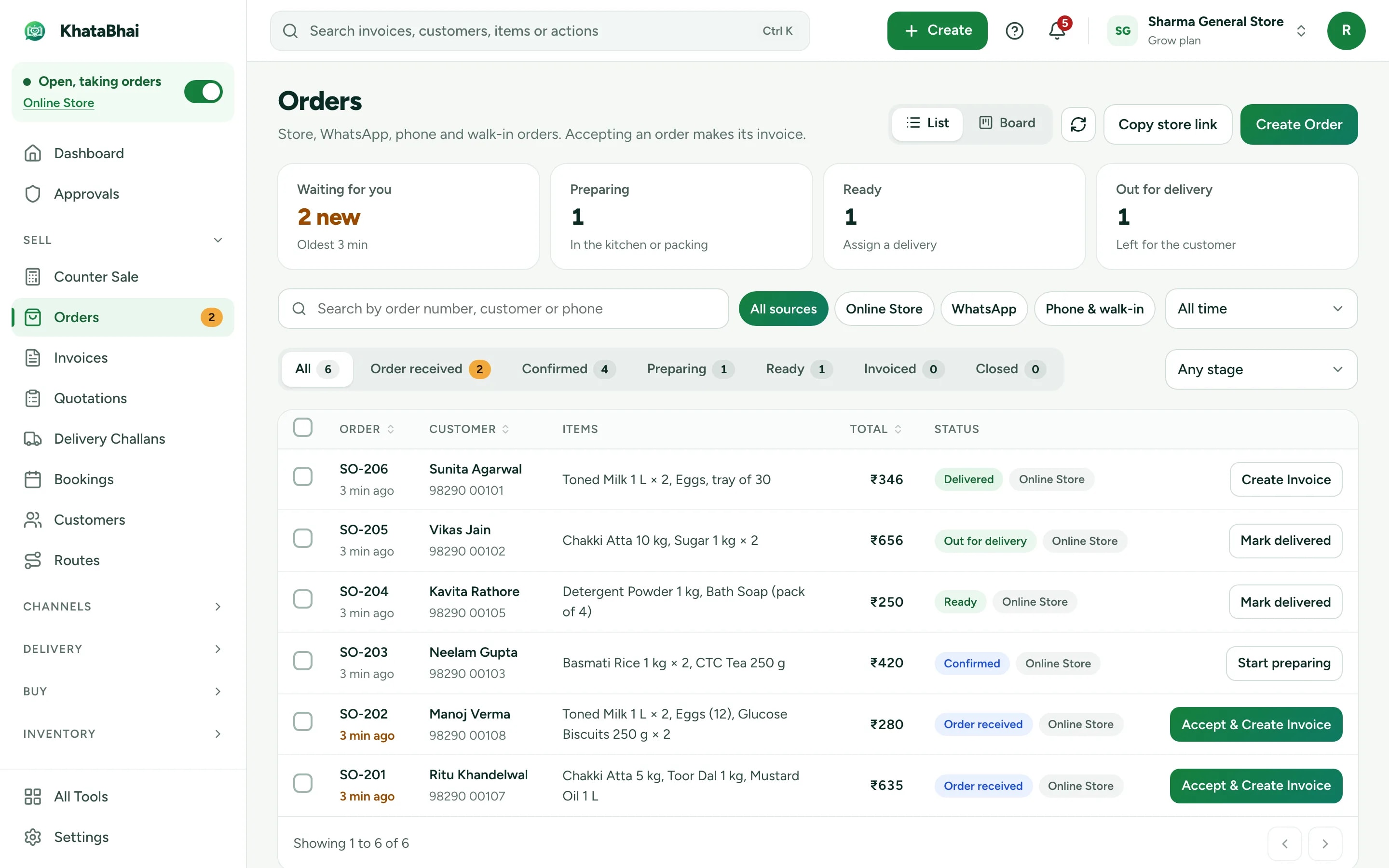
A normal day in KhataBhai.
- 1
Bill at the counter: scan or search items, and GST is worked out for you
You - 2
Paid by UPI or cash, or added to the customer's khata
You - 3
Stock goes down, and low stock shows on your home screen
Automatic - 4
A family nearby orders atta and dal from your store link
Your customer - 5
Accept the order, create the invoice and send it for delivery
You - 6
Send WhatsApp reminders to customers who owe you
You - 7
Today's sales, dues and stock are in your Reports
Automatic
Getting started
Sign up with your phone number and add your items. For a kirana & grocery business, most owners start with Counter Sale, Customer dues and Online Store, and turn on the rest when they need it.
Sign up with your phone number
On the web or on WhatsApp. You confirm with a code sent on WhatsApp, no password.
Add your items and customers
One by one, or import an Excel or CSV file. Add opening balances too.
Create your first invoice
On the web or by message. Share the PDF on WhatsApp.
Turn on your Online Store
Pick a design, choose delivery or pickup and share your link. Online orders land in the same records.
FAQ
Questions, answered.
More in the help centre, or ask us on WhatsApp.
Can I bill quickly at the counter?
Yes. Counter Sale is made for walk-in customers: scan or search items, take cash or UPI, and the sale is saved as a paid invoice.
Can I keep udhar for regular customers?
Yes. Unpaid bills add to what the customer owes, and you can send them a reminder on WhatsApp.
Can customers order on WhatsApp?
Yes. Share your store link in any chat, and orders reach you as Sales Orders. On Grow and above, customers can also order inside a WhatsApp chat on your own number.
Do customers pay online?
Customers pay you on delivery or at pickup. To take payment online at checkout, connect your own payment gateway account.
Which plan do I need?
Billing, stock and customers work on every plan, including Free. Your store link and online orders are on Essential and above.